100vh means the full height of the screen. On a computer, that’s clear. On a phone, the browser shows an address bar when the page loads and hides it as you scroll, so the page has two heights: a small one with the bar showing and a large one without. vh uses the large one, so a “full-screen” hero starts with its bottom hidden under the edge of the screen.
There are three units for the three answers:
svh, small: the height with the browser’s bars showing.lvh, large: the height with them hidden. On a phone,vhis the same.dvh, dynamic: whichever is true at that moment.
Try it
The phone shows a lot page with a full-height hero, and the hero’s button sits at its bottom edge. Start with 100vh and look for the button. Then try the other units, and scroll the phone’s screen to hide the address bar.
Lot 5
Wheat Fields, circa 1670
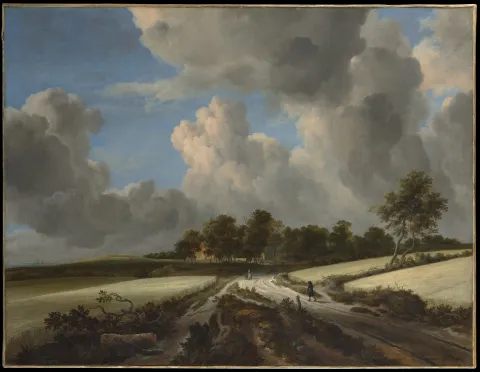
Jacob van Ruisdael (1628/29–1682)
Estimate: £800,000–1,200,000
The details of the lot follow the hero: its provenance, condition and literature. Scroll down to hide the address bar, and back up to bring it back.
- Small (svh)
- 496px, with the bar showing
- Large (lvh, and vh on a phone)
- 560px, with the bar hidden
- Dynamic (dvh)
- Whichever is true now
On a phone, vh is the large size. The hero is 560px tall, but only 496px of the screen is page while the bar shows, so its button starts 64px below the screen.
What it means for your designs
A full-screen hero on a phone is two designs: the screen when the page loads, with the browser’s bars showing, and the screen once the reader scrolls. The one that matters most is the first, because it’s the one everyone sees.
- Put anything that has to be seen, such as a button or a title, inside the small height. That’s where
svhkeeps it. - Expect a strip of the next section to appear below the hero once the bars hide. Design that strip, rather than hoping nobody sees it.
- Save
dvhfor things that cover the screen and need their bottom edge, such as a menu or an image viewer. On a page section it resizes during the scroll and moves everything below it.
In Figma
A phone frame is usually the whole screen, such as 390 × 844. The page sees less than that when it loads, because the status bar and the browser’s bars take their share. Draw a line on the frame where the small height ends, and keep anything essential above it.
In the annotation, name the unit: “Hero: full height, small viewport (svh). Register button always visible on load.”
Say this to a developer
“Can the hero be at least 100svh tall, so the button is visible when the page loads on a phone?”
.lot-hero { min-block-size: 100svh;}Ask for min-block-size, not height. A fixed height cuts off the content when it doesn’t fit, such as a long title on a short screen. A minimum lets the hero grow.
Watch out for
Gotcha
Never use 100vw for full width. Where scrollbars take up space, as on most Windows computers, it
includes the scrollbar, so the page scrolls sideways by the scrollbar’s width. Ask for 100%
instead.
- In most phone browsers, the on-screen keyboard covers the page without changing these units. A form pinned to the bottom of the screen can end up behind it.
- A full-height hero on a short laptop can push everything else out of sight. See vertical breakpoints.
Browser support
Every current browser, and every browser since December 2022: Chrome and Edge 108, Firefox 101 and Safari 15.4.