Developers call it RAM, for the three parts of the CSS: repeat, auto-fit and minmax. You set the narrowest a card can be, and the grid fits as many columns as the space allows. When the space changes, it adds or drops a column and stretches the cards to fill the row.
grid-template-columns: repeat(auto-fit, minmax(180px, 1fr));Read it as: “As many columns as fit, each at least 180px wide, sharing out what’s left.”
Try it
Drag the edge of the box. Watch the column count change with no breakpoints. Then try fewer lots than fit in a row, and switch between auto-fit and auto-fill.

Utagawa Hiroshige (1797–1858)
Sudden Shower at Shōno, from Fifty-three Stations of the Tōkaidō, 1834–35
Estimate: US$30,000–50,000

Camille Pissarro (1830–1903)
Jalais Hill, Pontoise, 1867
Estimate: £3,500,000–5,500,000
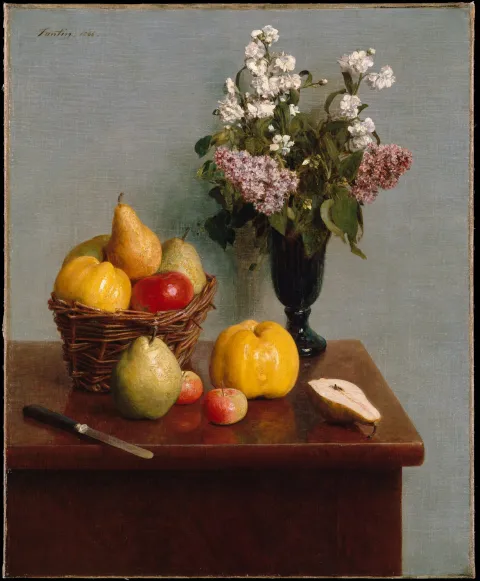
Henri Fantin-Latour (1836–1904)
Still Life with Flowers and Fruit, 1866
Estimate: £400,000–600,000

Jacob van Ruisdael (1628/29–1682)
Wheat Fields, circa 1670
Estimate: £800,000–1,200,000
grid-template-columns: repeat(auto-fit, minmax(180px, 1fr));
With auto-fit, a short row stretches its cards to fill the width. With auto-fill, the empty columns keep their space, so the cards stay the same size as in a full row.
What it means for your designs
You design a card’s smallest comfortable width, not a column count for each breakpoint. The grid works out the rest at every width, including the ones you never drew, such as a small laptop or a tablet held sideways.
- Decide the narrowest a card can be before its contents suffer, and design the card at that width as well as at its widest.
- Expect any column count. At 1280px a grid might show four columns, at 1100px three. The cards get wider and narrower in between.
- Choose what a short row does. A sale with three lots can stretch them across the row (
auto-fit) or keep them the same size as a full row (auto-fill), leaving space on the right.
In Figma
A wrapping auto layout in Figma shows the idea, but it won’t match the browser at every width. So draw the grid at two or three widths, and note the rule instead of a column count per breakpoint: “Lot grid: as many columns as fit, cards at least 180px wide.”
Then design the card itself at its narrowest and its widest, because those are the two extremes the grid will show.
Say this to a developer
“Can the lot grid fit as many columns as there’s room for, with cards at least 180px wide? Short rows should keep the full-row card size.” That’s auto-fill. For stretched short rows, ask for auto-fit.
.lot-grid { display: grid; grid-template-columns: repeat(auto-fill, minmax(min(180px, 100%), 1fr)); gap: 1rem;}The min(180px, 100%) stops a card from overflowing on a screen narrower than 180px. This site’s own Grid layout uses the same pattern.
Watch out for
Gotcha
The grid counts columns from the space the grid has, not from the screen. In a narrow sidebar it shows fewer columns than the same grid in the main column, which is usually what you want.
- A row with gaps in it can look broken. Design what the last row looks like with one lot in it.
- The cards in a row stretch to the same width, but their contents don’t line up on their own. Titles of different lengths push the estimates to different heights. Subgrid fixes that.
- If you need exactly three columns at desktop, say so. RAM gives you the number that fits, not a fixed one.
Browser support
Every current browser, and every browser since 2017.