Cards in a row are the same width, but each one lays out its own contents. A two-line title pushes its estimate lower than the one-line title next door, so the estimates zigzag across the row. Subgrid makes every card in the row share one set of rows, so each row is as tall as the tallest card needs, and the parts line up.
Try it
The dashed outlines show each part of each card. With subgrid off, the estimates sit at different heights. Turn it on and they line up. Then drag the box narrower, and watch the rows grow to fit the longest title.

Utagawa Hiroshige (1797–1858)
Sudden Shower at Shōno, from Fifty-three Stations of the Tōkaidō, 1834–35
Estimate: US$30,000–50,000

Camille Pissarro (1830–1903)
Jalais Hill, Pontoise, 1867
Estimate: £3,500,000–5,500,000
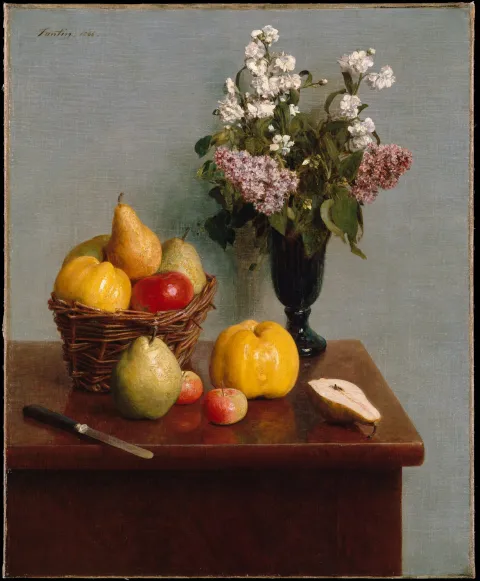
Henri Fantin-Latour (1836–1904)
Still Life with Flowers and Fruit, 1866
Estimate: £400,000–600,000
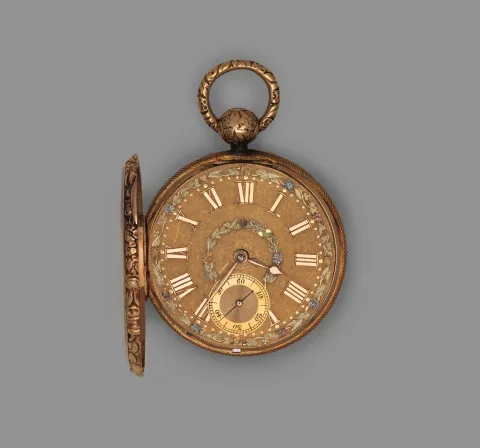
Robert Roskell
A gold pocket watch, 1820–21
Estimate: CHF 20,000–30,000
.lot-card {
  display: flex;
  flex-direction: column;
}
What it means for your designs
You can design cards that line up across the row, with real content of any length. Until subgrid, the choices were to let the parts zigzag, to cut titles to a fixed number of lines, or to give every title a fixed height. Each has a cost.
- Design the row, not only the card. Decide which parts should line up across it: usually the title, the estimate and the button.
- Show a row with the longest title you expect next to the shortest. That’s the case subgrid solves, and the one to check.
- Subgrid and a line limit work together. Cap titles at three lines, say, and let subgrid line up the rest.
In Figma
Auto layout can’t line up parts across separate cards. So draw a row where the cards have different title lengths, and add a note: “Parts line up across the row (subgrid): image, maker, title, estimate.”
If you’ve matched heights by hand in Figma, say so. Otherwise the developer may build fixed heights to match the frame.
Say this to a developer
“Can the lot cards use subgrid, so the titles and estimates line up across each row?”
.lot-grid { display: grid; grid-template-columns: repeat(auto-fill, minmax(min(180px, 100%), 1fr)); column-gap: 1rem;}
.lot-card { display: grid; grid-row: span 4; /* image, maker, title, estimate */ grid-template-rows: subgrid;}Watch out for
Gotcha
Subgrid lines up the cards in the same row only. On a phone, where each card is its own row, nothing changes, so the narrow layout still needs to work on its own.
- Each card needs the same parts in the same order. A lot with no estimate should keep an empty row (or show “Estimate on request”) so the parts below don’t move up.
- One very long title makes the whole row tall. Pair subgrid with a line limit on titles.
Browser support
Every current browser, and every browser since September 2023: Chrome and Edge 117, Firefox 71 and Safari 16.